
Introduction
In modern DevOps workflows, security is a fundamental requirement. Organizations expect visibility of vulnerabilities, exposed secrets, and code quality directly within GitHub, especially during Pull Request reviews.
While GitHub provides native security capabilities, these features may not always be available or enabled across all environments.
This raises an important question:
Can we build a production-ready DevSecOps pipeline using open-source tools while still maintaining visibility inside GitHub?
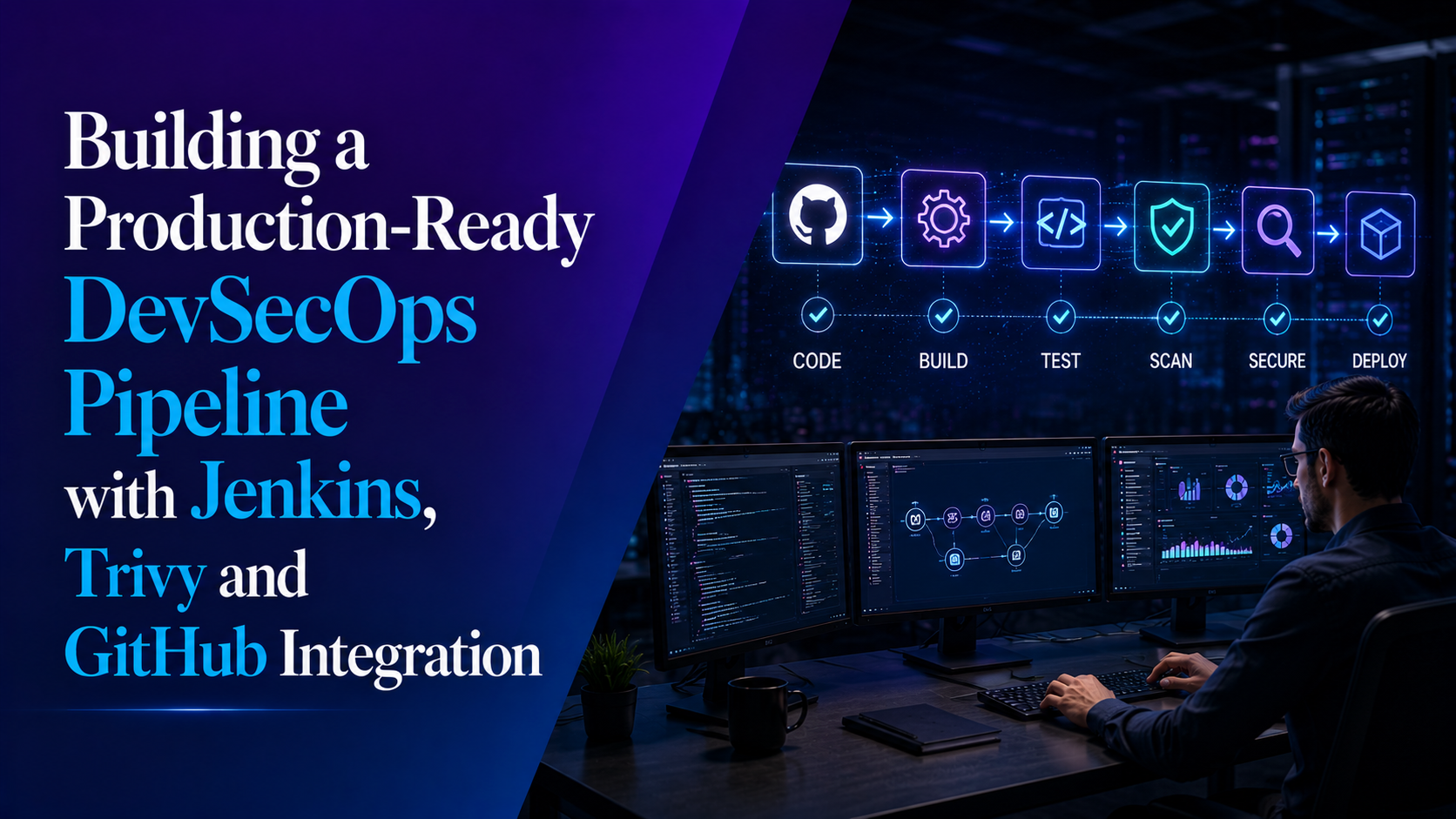
In this article, I walk through how I implemented an end-to-end DevSecOps pipeline using Jenkins, Gitleaks, and Trivy, and integrated the results into GitHub through Pull Request comments, commit status checks, and security reporting.
Architecture Overview
The workflow is designed as follows:
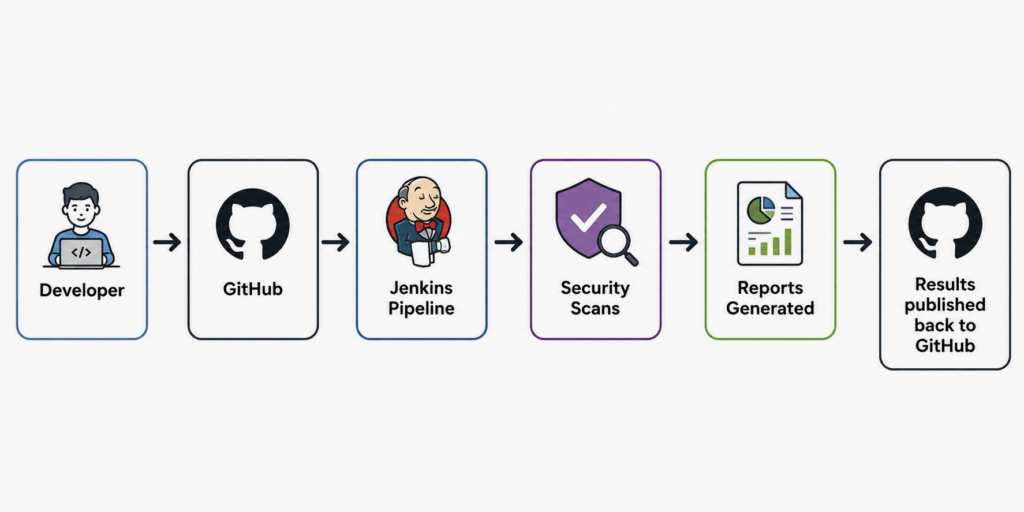
This setup enables:
- Automated security scanning during CI
- Visibility directly in Pull Requests
- Structured reporting and feedback for developers
Tools Used
- Jenkins (CI/CD orchestration)
- Gitleaks (secret detection)
- Trivy (vulnerability scanning)
- GitHub CLI (
gh) for API interaction - Jenkins HTML Publisher Plugin (for report visualization)
Also Read: Jenkins Alternatives in 2026
Pipeline Workflow
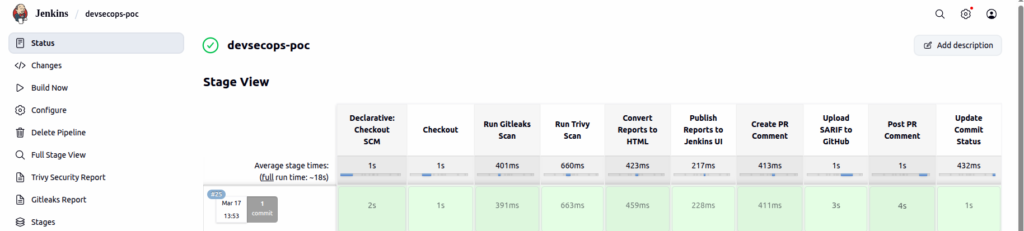
The pipeline is structured into the following stages:
- Checkout source code from GitHub
- Run Gitleaks for secret detection
- Run Trivy for vulnerability scanning
- Generate reports in JSON, SARIF, and HTML formats
- Publish HTML reports in Jenkins UI
- Create a summarized Pull Request comment
- Upload SARIF reports for GitHub security visibility
- Update commit status based on scan results
Key Features Implemented
- Secret scanning using Gitleaks
- Vulnerability scanning using Trivy
- HTML reports accessible within Jenkins
- Automated Pull Request comments with scan summaries
- Commit status checks indicating success or failure
- Integration with GitHub security reporting using SARIF
Challenges and Solutions
This implementation involved several practical challenges.
1. Jenkins Detached HEAD Issue
Jenkins checks out code in detached HEAD mode, which prevents direct branch detection.
Problem:
git rev-parse --abbrev-ref HEAD → HEADSolution:
The default branch was dynamically extracted using:
git remote show origin | grep 'HEAD branch'2. SARIF Upload Failure
Initial attempts to upload SARIF reports to GitHub resulted in API errors.
Root cause:
The GitHub API expects SARIF data to be compressed and encoded.
Solution:
- SARIF files were compressed using gzip
- Encoded using base64
- Uploaded using GitHub API
3. Missing commit_sha and ref
The SARIF upload API requires explicit commit and branch references.
Solution:
commit_sha = $GIT_COMMIT
ref = refs/heads/<branch>
4. Private Repository Limitation
SARIF uploads failed when using private repositories or restricted organizational environments.
Learning:
GitHub security reporting using SARIF is not always available in private repositories or organization-level setups without additional configuration or subscription.
Working with Private and Organization Repositories
While full SARIF-based integration works smoothly with public repositories, limitations arise when working with private repositories or organization environments.
In such scenarios, direct integration with the GitHub Security dashboard may not be available.
Temporary Workaround
To maintain visibility without relying on platform-specific features, an alternative approach was implemented:
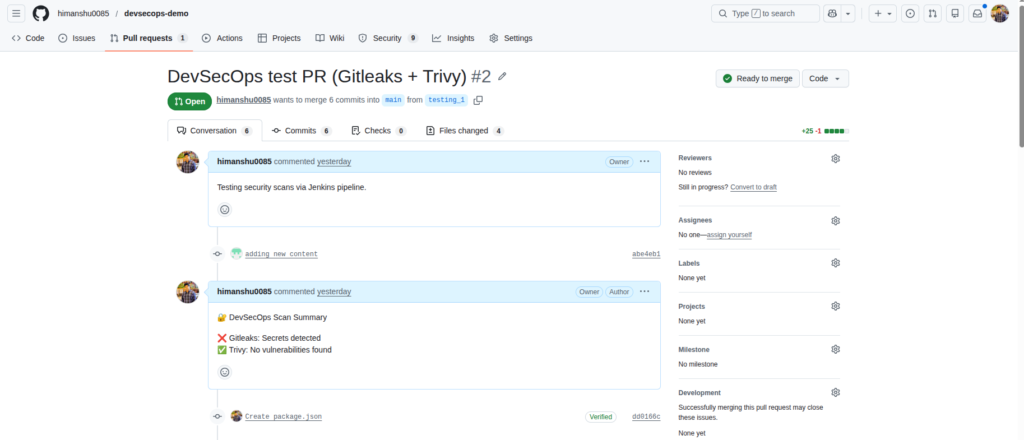
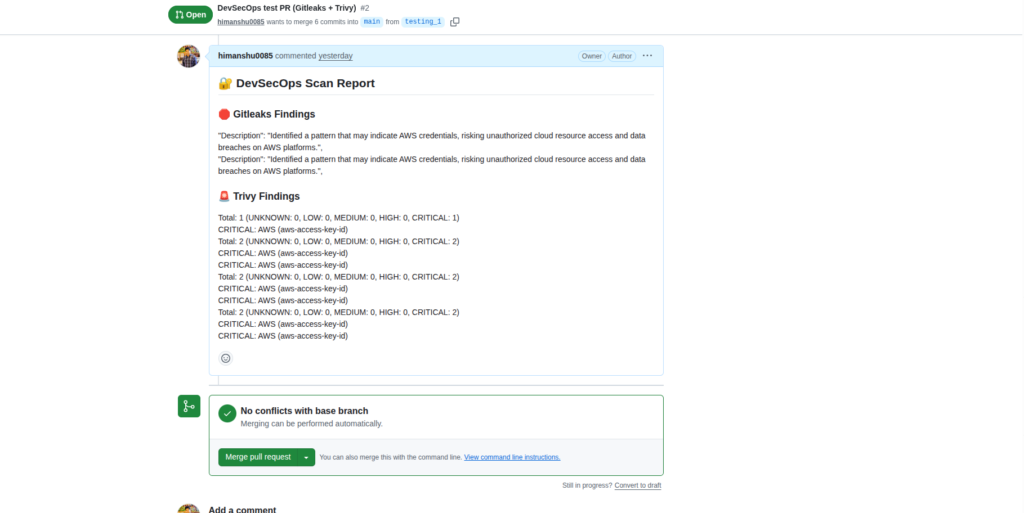
- Security scan results were summarized and posted as Pull Request comments
- Commit status checks were updated based on scan outcomes
- Jenkins HTML reports provided detailed insights
This ensured that:
- Developers continued to receive immediate feedback in Pull Requests
- Security issues remained visible during code reviews
- The workflow maintained enforcement of security checks
Although this approach does not provide native dashboard-level visibility, it serves as a practical and effective solution in constrained environments.
Final Output
After successful pipeline execution:
Jenkins
- HTML reports for Trivy and Gitleaks
- Centralized visibility of scan results
GitHub Pull Request
- Automated comments summarizing findings
- Commit status indicating pass or failure
GitHub Security Visibility
- Structured security reporting using SARIF (where supported)
Cost Comparison
| Approach | Cost |
|---|---|
| Platform-native security features | Paid |
| Jenkins with open-source tools | Free |
This approach demonstrates that similar DevSecOps capabilities can be achieved using open-source tools with proper integration.
Key Learnings
- DevSecOps is primarily about integration rather than individual tools
- GitHub APIs require strict formatting, especially for SARIF uploads
- Jenkins pipelines do not provide GitHub context by default and must be handled explicitly
- Open-source tools can achieve production-grade outcomes when integrated correctly
Conclusion
This implementation demonstrates how a production-ready DevSecOps pipeline can be built using open-source tools while maintaining strong visibility within the development workflow.
By integrating Jenkins, Gitleaks, Trivy and GitHub APIs, we achieved:
- Automated security scanning
- Developer feedback in Pull Requests
- Structured reporting
- Cost-effective implementation
Final Note
This was not a straightforward implementation. It required iterative debugging, handling API constraints, and understanding how GitHub processes security data.
However, this process resulted in a practical, scalable, and production-relevant DevSecOps solution.
Related Searches
- Modernizing Healthcare Data Integration with Azure Event Hubs – OpsTree
- Azure Event Hubs Explained for Real Time Data Streaming
- Event Hub vs Confluent Cloud: Which One Should You Use and When?