

Table of Contents
- Introduction
- Problem Statement
- What is Flagd?
- Why Flagd
- Architecture Overview
- Infrastructure Design (Production)
- Step-by-Step Implementation (with Screenshots)
- Troubleshooting (Real Issue Encountered)
- Before vs After Using Flagd
- Production Use Cases
- Observability
- Best Practices
- Common Mistakes
- Problems Solved by Flagd
- Conclusion
Introduction
Frequent deployments increase delivery speed but also raise the risk of exposing unstable features.
Traditional approaches couple deployment with release, making rollback slow and risky.
Feature flagging decouples deployment from release by controlling feature exposure at runtime. This guide presents a production-focused implementation of Flagd on Kubernetes with architecture, workflow, infrastructure design, hands-on steps, and real troubleshooting.
Problem Statement
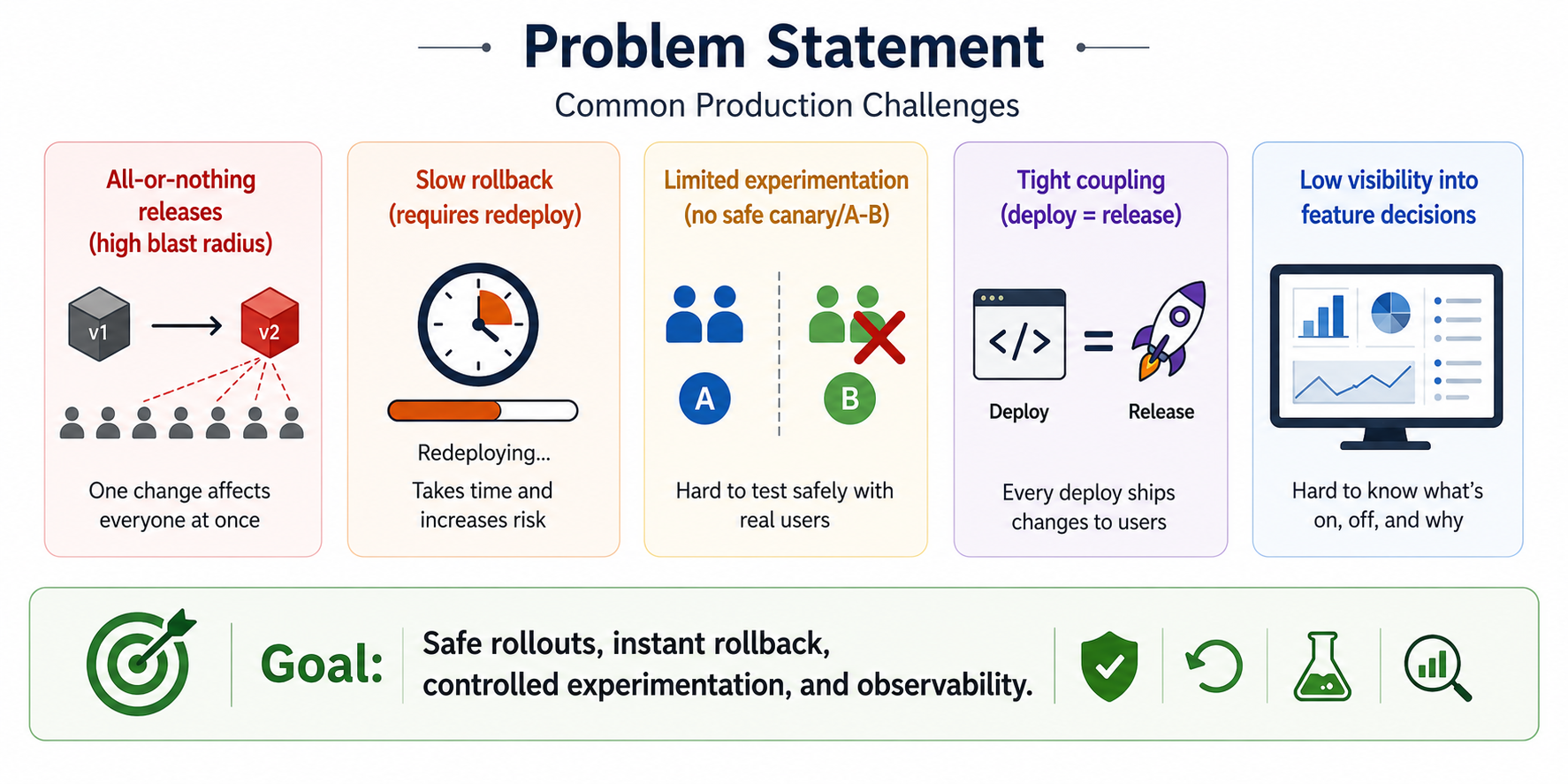
Common production challenges:
- All-or-nothing releases (high blast radius)
- Slow rollback (requires redeploy)
- Limited experimentation (no safe canary/A-B)
- Tight coupling (deploy = release)
- Low visibility into feature decisions
Goal: Safe rollouts, instant rollback, controlled experimentation, and observability.
What is Flagd?
Flagd is an open-source, stateless feature flag evaluation service aligned with the OpenFeature specification.
Capabilities
- Boolean and multivariate flags
- Targeting via context (user, region, headers)
- Canary rollouts and A/B testing
- Instant kill switch
Why Flagd
- Kubernetes-native
- Horizontally scalable (stateless)
- Works with OpenFeature SDKs
Architecture Overview
Teams using BuildPiper’s Kubernetes management platform can seamlessly integrate Flagd into their existing cluster architecture – enabling centralized flag configuration management across multi-cluster environments without additional tooling overhead.
The following diagram shows how Flagd integrates into Kubernetes and controls feature behavior at runtime.
Figure: Flagd architecture with ConfigMap-based configuration and application pods
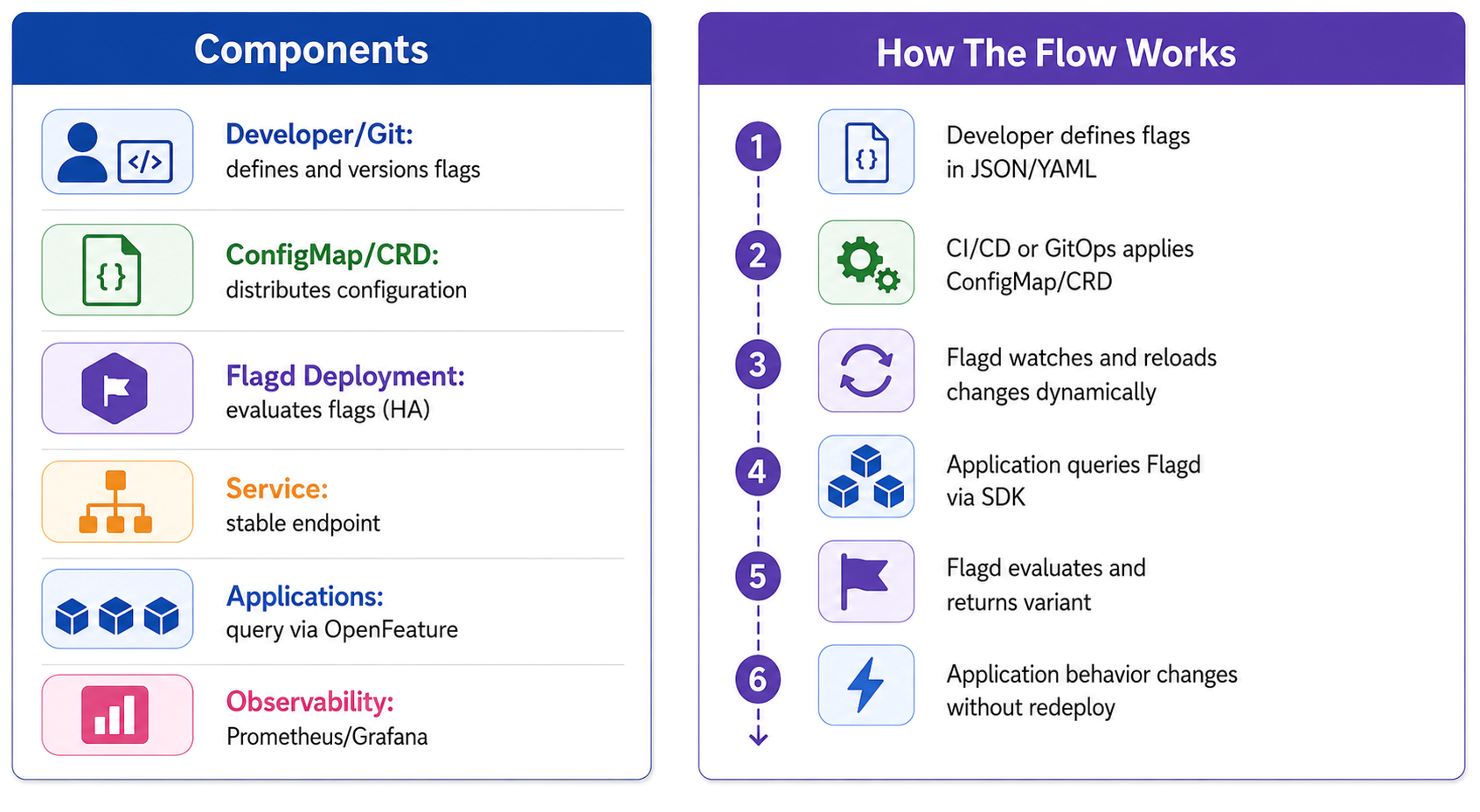
Components
- Developer/Git: defines and versions flags
- ConfigMap/CRD: distributes configuration
- Flagd Deployment: evaluates flags (HA)
- Service: stable endpoint
- Applications: query via OpenFeature
- Observability: Prometheus/Grafana
How The Flow Works
- Developer defines flags in JSON/YAML
- CI/CD or GitOps applies ConfigMap/CRD
- Flagd watches and reloads changes dynamically
- Application queries Flagd via SDK
- Flagd evaluates and returns variant
- Application behavior changes without redeploy
Infrastructure Design (Production)
Core Resources
- Deployment (flagd) with replicas ≥ 2
- Service (ClusterIP)
- ConfigMap/CRD
- RBAC (read-only)
- HPA (optional)
Deployment Models
- Centralized service (simpler)
- Sidecar (low latency)
- DaemonSet(node-local)
High Availability
- Multiple replicas
- Probes and rolling updates
Networking & Security
- Internal DNS via ClusterIP
- mTLS with service mesh (optional)
- NetworkPolicies
- No secrets in flags
For production-grade infrastructure, OpsTree’s REMS (Release and Environment Management System) provides an additional control layer – managing environment lifecycle, release gates, and deployment approvals alongside Flagd’s runtime feature control.
Step-by-Step Implementation (with Screenshots)
Step 0: Verify Cluster
kubectl get nodes
Expected: node in Ready state.
Screenshot: kubectl get nodes output
Step 1: Create Flag Configuration
{
"flags": {
  "new-feature": {
    "state": "ENABLED",
    "variants": {
      "on": true,
      "off": false
     },
    "defaultVariant": "off"
   }
  }
 }
Step 2: Create Namespace & ConfigMap
Create a dedicated namespace for Flagd and store the feature flag configuration in a ConfigMap.
kubectl create namespace flagd

kubectl create configmap flagd-config \
  --from-file=flags.json \
  -n flagd
Verify:
kubectl get configmap -n flagd

kubectl get configmap flagd-config -n flagd -o yaml
Step 3: Deploy Flagd
kubectl create deployment flagd \
  --image=ghcr.io/open-feature/flagd:latest \
  -n flagd-tests
Step 4: Verify Pods and Service
kubectl get pods -n flagd-tests

kubectl get svc -n flagd-tests
Step 5: Port Forward & Test API
This command forwards the Flagd service running inside the Kubernetes cluster to your local machine,
allowing you to test it using localhost.
kubectl port-forward svc/flagd 8013:8013 -n flagd-tests
Step 6: Evaluate Flag (Simulated App Call)
source flagd-env/bin/activate

python app.py
Step 7: Dynamic Update (No Restart)
Edit the ConfigMap, change the flag state, save the file, and rerun the application.
kubectl edit configmap flagd-config -n flagd-tests

python app.py
Step 8: Scale for High Availability
kubectl scale deployment flagd --replicas=3 -n flagd-tests

kubectl get pods -n flagd-tests
Step 9: Logs
kubectl logs -n flagd-tests -l app=flagd
Troubleshooting (Real Issue Encountered)
Issue: Kubernetes Not Reachable
Error:
Unable to connect to the server:
dial tcp 192.168.x.x:8443: no route to host
Root Cause
- Minikube cluster stopped
- Kubernetes API unreachable
Fix
minikube status

minikube start

kubectl get nodes
Before vs After Using Flagd
| Before | After |
|---|---|
| Feature release tied to deployment | Runtime feature control |
| Slow rollback | Instant toggle |
| No user segmentation | Canary and A/B supported |
Production Use Cases
- Canary deployment (gradual rollout)
- A/B testing (variant comparison)
- Kill switch (instant disable)
- Environment gating
Organizations leveraging BuildPiper for Kubernetes delivery can combine it with Flagd to enable progressive delivery use cases – canary rollouts, environment-specific gating, and instant kill switches – all managed from a single unified delivery pipeline.
Observability
Metrics
flag_evaluations_totalflag_errors_totalevaluation_latency_seconds
Stack
- Prometheus
- Grafana
- Screenshot: Grafana dashboard (optional)
OpsTree’s Unified Observability Platform complements Flagd’s native Prometheus/Grafana metrics by providing a single-pane-of-glass view across flag evaluations, service health, and infrastructure performance – helping teams reduce MTTR and improve release confidence.
Best Practices
- Assign an owner and expiry date to each flag
- Use clear naming conventions
- Always define
defaultVariant - Avoid long-lived flags
- Use GitOps for flag management
- Monitor evaluation metrics
When managing flags at scale across multiple Kubernetes clusters, using BuildPiper’s centralized workload management alongside REMS ensures consistent flag governance, environment-level controls, and audit-ready release tracking.
Common Mistakes
- Keeping flags forever
- No monitoring
- Poor naming conventions
- Using flags for static configurations
Problems Solved by Flagd
| Problem | Solution |
|---|---|
| Risky releases | Gradual rollout |
| Slow rollback | Instant toggle |
| No experimentation | A/B testing |
| Tight coupling | Runtime control |
Conclusion
Flagd enables safe and flexible feature releases by decoupling deployment from exposure. With Kubernetes and proper observability, teams can adopt progressive delivery with reduced risk and better control.
Platforms like BuildPiper, combined with OpsTree’s REMS and Unified Observability Platform, take this a step further – giving engineering teams end-to-end control over Kubernetes delivery, environment management, and system reliability in one place.