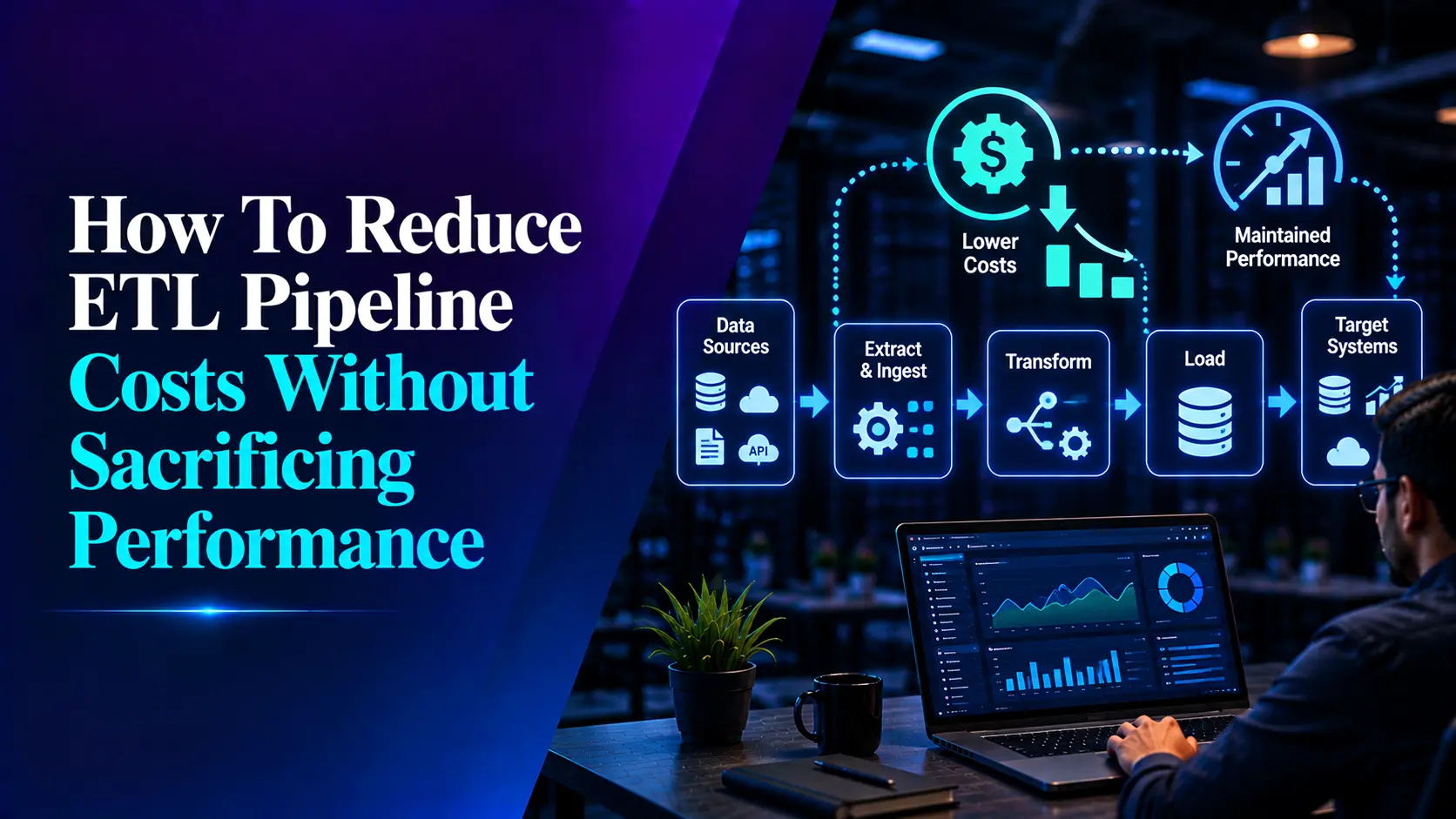

ETL pipelines can be reliable without incurring excessive costs. As data volume grows, costs often rise not because of a single major error, but due to a series of small inefficiencies. These include refreshing entire tables, using excessively large compute resources, performing redundant transformations, unnecessary data transfers, wasteful storage usage and running pipelines more frequently than business needs require.
The challenge is that reducing costs should not simply mean slowing down the pipeline. A reporting pipeline that cuts costs but fails to meet the morning SLA (Service Level Agreement) is not truly optimized. Similarly, a fast pipeline that consumes excessive compute resources in the warehouse every night is not the right solution either.
The primary objective of optimizing ETL pipeline costs is to strike the right balance between cost, performance, data freshness and reliability. Current cloud best practices emphasize measuring the cost of each processing stage and aligning compute and storage resources with actual workload patterns.
Where ETL Pipeline Costs Usually Come From
Before changing the architecture, identify where the money is actually being spent.
For most modern data pipelines, the primary costs are incurred in these areas:
- Compute: ETL jobs, Spark clusters, warehouse queries and transformation workloads
- Storage: Raw, staging, transformed and historical datasets
- Data movement: Transfers between systems, regions or cloud services
- Pipeline tooling: Connectors, orchestration and managed integration platforms
- Engineering effort: Monitoring, troubleshooting, failed runs and maintenance
There is another cost that often goes unnoticed: the expense of processing useless data.
Consider a scenario where 10 million records need to be reloaded, even though only 10,000 records have actually changed. This approach wastes computing resources and network bandwidth and consumes valuable processing time, without delivering any business value. One of the provided ETL benchmarks illustrates the significant difference between a full refresh and incremental processing.
This is where we should focus our efforts on optimization.
Replace Full Loads With Incremental Processing
While refreshing data entirely is easy, ETL costs can rise as your data grows.
Instead of fetching the entire table every time, focus on processing only those records that have been added, updated or deleted since the last run.
Here are some common approaches to consider:
- Change Data Capture (CDC)
- Timestamp-based watermarks
- Change tracking
- Incremental merge or upsert strategies
Instead of processing the entire customer table repeatedly, the pipeline can use a ‘modified_date’ watermark to focus on records that have changed since the last run.
The concept is very straightforward: Focus only on the changed data (delta) rather than the entire dataset.
This principle becomes even more critical for large enterprise databases, where tables may contain millions or billions of records, yet only a small fraction of them change between pipeline runs.
With this in mind, Snowflake offers cost-optimization recommendations that facilitate incremental loading. This is particularly useful when datasets are so large that reloading them entirely would be costly or slow or would hinder the ability to keep data updated in a timely manner.
When should you keep a full load?
Not every pipeline needs CDC, A full refresh can still make sense when:
- When working with small datasets
- If it is not possible to reliably track changes from the source
- When the entire dataset changes frequently
- When rebuilding the target system is easier and less costly than maintaining incremental updates
It is important to note that the goal is not to completely eliminate ‘full loads,’ but rather to avoid using them indiscriminately when they are no longer cost-effective.
Right-Size Compute Instead of Simply Scaling It Up
When ETL pipelines begin to slow down, the standard approach is often to increase the size of the cluster or warehouse.
While this method can sometimes yield good results, it is important to understand that scaling up computing resources does not always guarantee better cost-performance.
According to Snowflake, increasing the warehouse size does not always improve loading performance, particularly when the underlying issue relates to the number of files or their size.
Before making any changes to compute resources, consider the following:
- How much data are you actually processing?
- Is the workload constrained by CPU, memory or I/O?
- Are jobs running even during downtime?
- Are transformations scanning more data than necessary?
- Is the warehouse optimized for peak demand, even though most operations are small-scale?
- Can you implement autoscaling or job-based compute for your workloads?
For scheduled ETL tasks, organizations can avoid infrastructure costs associated with idle time by utilizing event-driven or job-based compute. AWS also recommends prioritizing compute and storage options based on actual workload patterns rather than treating capacity as a static requirement.
Stop Repeating the Same Transformation
Repeatedly using the same type of transformation logic often leads to a waste of computing power.
Consider this scenario: three different teams are working on building customer revenue models and all of them are using the same raw transaction data.
Even though the source data remains the same and the business logic is largely identical, the transformation process is carried out three times.
A more effective approach would be to create reusable and standardized transformation layers that all teams can utilize.
There are two main benefits to this approach:
- Cost Savings: We can reduce total costs by avoiding unnecessary processing.
- Consistent Standards: Teams work according to uniform business definitions.
This uniformity becomes even more critical in large enterprise environments, where data products, analytics teams, applications and AI workloads rely on the same underlying dataset.
Push Transformations to the Right Processing Layer
ETL and ELT are distinct architectural strategies, not competing methods. In an ETL setup, data undergoes transformation before being loaded onto the target platform.
In contrast, the ELT approach involves loading raw data into the target system first and then transforming it using the computing power of the warehouse or lakehouse.
Do not optimize one stage while ignoring the total pipeline.
Reduce the Amount of Data You Process
One of the simplest questions regarding cost optimization is:
Do we really need to process all this data?
Before your data enters expensive transformation or analytics systems, be sure to take the opportunity to reduce unnecessary data.
Here are some strategies that can be considered:
- Select only the necessary columns
- Filter out and remove irrelevant records as soon as possible
- Remove duplicate events
- Avoid reprocessing old data that has not changed
- Aggregate data when detailed records are no longer needed
- Distinguish between frequently used data and archived data
This is particularly important for large-scale event, log, and telemetry pipelines.
The sooner unnecessary data is discarded, the less effort downstream resources will need to expend on processing and storing it.
Optimize File Formats, Partitioning and Storage
Storage optimization is not just about reducing the volume of stored data. The way data is organized plays a crucial role in query performance and the efficiency of compute resources.
For analytical workloads, using Parquet or other column-based formats reduces the amount of data that needs to be accessed. Additionally, partitioning can significantly minimize unnecessary scans, especially when queries frequently filter based on the partitioning key.
AWS recommends using formats like Parquet or ORC for an optimal ETL process and emphasizes ‘partition pruning’ as an effective way to limit the data required for processing.
An effective storage strategy might include the following:
Hot data → frequently accessed and performance-sensitive
Warm data → occasionally accessed historical data
Cold/archive data → rarely accessed information retained for compliance or future analysis
The objective is straightforward: to avoid incurring high processing or storage costs for data that typically does not require premium access.
Match Data Freshness to the Business Requirement
Not all datasets require real-time processing.
This is a crucial decision involving costs, one that engineering teams often make without fully grasping the business context.
Consider the following points:
“How fresh does this data actually need to be?”
Fraud detection systems require data to be updated within seconds. On the other hand, operational dashboards can function correctly even with a five-minute delay.
Similarly, financial reports generally need to be updated hourly or daily.
If a five-minute latency is acceptable for business needs, processing data every few seconds can create unnecessary infrastructure and operational complexities without offering any real benefit.
Micro-batching can serve as an effective middle ground between traditional batch processing and continuous streaming.
Therefore, the best architecture should be based on ‘freshness SLAs’, rather than on the assumption that real-time solutions are always better.
Optimize Data Loading Instead of Inserting Row by Row
The loading strategy plays a crucial role in the performance of the ETL process.
When data is inserted one row at a time, database operations and network latency increase as the volume of data grows.
For large data loads, using staging files in conjunction with native bulk-loading techniques can significantly improve throughput. A benchmark test revealed a substantial difference in performance when comparing row-by-row insertion with the warehouse’s native bulk-loading methods.
Overall, the trend is as follows:
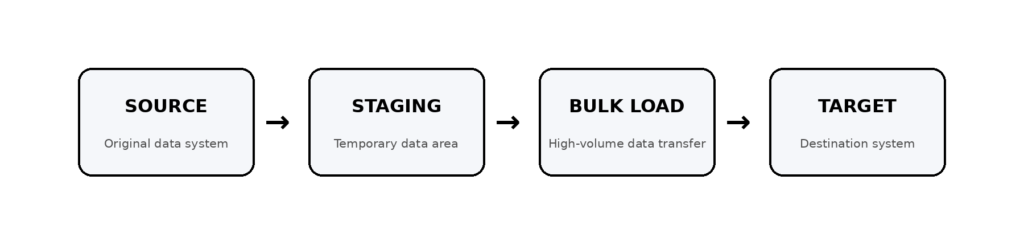
rather than:

How exactly this is implemented depends on the platform, but the principle broadly applies to modern data warehouses and databases.
Design Pipelines to Fail Cheaply
A failure in the pipeline can significantly impact costs.
Suppose a pipeline consists of eight processing stages. If a malfunction occurs at the final stage and the entire workflow has to be restarted, the organization incurs additional costs to redo work that had already been successfully completed.
By implementing a modular architecture, individual stages can be re-run without affecting the entire process.
Here are some useful approaches worth considering:
- Keep extraction, transformation, and loading stages separate
- Save intermediate results when necessary
- Use checkpoints
- Make pipeline operations idempotent
- Retry only failed operations
- Monitor data volume, latency, and failures for each stage
A reliable pipeline is not simply one that rarely malfunctions.
Rather, it is one that can be repaired quickly and correctly when a malfunction occurs.
Make ETL Cost Visible to Engineering Teams
To effectively optimize your cloud costs, you need to have a clear understanding of where your spending is coming from. Instead of simply looking at your monthly cloud bill, consider breaking down your expenses into more specific categories:
- Pipeline
- Team
- Environment
- Data product
- Warehouse or cluster
- Query
- Processing stage
Useful metrics include:
| Metric | Why it matters |
|---|---|
| Pipeline runtime | Shows performance changes |
| Data processed | Identifies unnecessary processing |
| Compute usage | Reveals expensive workloads |
| Cost per pipeline run | Makes optimization measurable |
| Cost per GB processed | Helps compare workloads |
| Failure and rerun rate | Exposes avoidable waste |
| Data freshness | Ensures cost reductions do not break SLAs |
This shifts the conversation from “Why is our cloud bill increasing?” to “Which pipeline is driving this increase, and why?”
A Practical ETL Cost Optimization Framework
For an enterprise data platform, a useful optimization sequence is:
Measure → Identify → Reduce → Right-size → Automate → Monitor
Measure
Establish the current cost, runtime, data volume and freshness for important pipelines.
Identify
Find full refreshes, expensive queries, duplicate transformations, idle compute and unnecessary data movement.
Reduce
Move to incremental processing, filter unnecessary data and optimize storage and loading patterns.
Right-size
Match compute capacity to actual workload requirements.
Automate
Use scheduling, autoscaling, lifecycle policies, retries and cost alerts to prevent waste from returning.
Monitor
Track both cost and performance continuously.
This approach avoids a common mistake: cutting infrastructure first and discovering later that the pipeline no longer meets the business SLA.
The Goal Is Cost-Efficient Data Engineering, Not Cheap Data Engineering
Reducing ETL costs shouldn’t simply mean choosing the cheapest infrastructure every time. In reality, the goal should be cost-effective data engineering.
A pipeline that saves money but delivers outdated data isn’t necessarily an improvement. Similarly, a fast pipeline that significantly drives up computing costs might not be the right choice for large companies in the long run.
The most effective architecture strikes a balance between the two:
Cost + Performance + Reliability + Data Freshness + Scalability
That is why, instead of viewing ETL cost optimization merely as a one-time cloud cost assessment, it is crucial to adopt it as an ongoing engineering practice.
For enterprise teams, the biggest benefits often come from simple changes: such as processing data incrementally rather than in bulk, eliminating unnecessary transformations, optimizing compute resources, improving storage and loading methods, and ensuring pipeline-level costs are clearly understood.
When these strategic options are incorporated into the architecture, organizations can effectively scale their data platforms. This allows them to avoid the issue where infrastructure costs rise in direct proportion to the increase in data volume.
Related Searches
- Top Data Engineering Companies in India In 2026
- Enterprise Data Discovery: Strategy, Tool Selection and DPDP Readiness
- What Is Agentic AI Data Engineering?
- What Is Data Pipeline Architecture? A Complete Guide to Data Pipelines