

Table of Contents
Introduction
One of the biggest challenges developers face when moving from local development to production is transitioning from Docker Compose to Kubernetes.
Docker Compose is simple and developer-friendly, but Kubernetes requires:
- Writing multiple YAML manifests
- Understanding networking and services
- Managing deployments and configurations
Traditionally, tools like Helm are used to simplify Kubernetes deployments. However, Helm still requires templating knowledge and manual setup.
This is where Kanvas, a Docker Desktop extension developed by Layer5 in collaboration with Docker, provides a practical solution.
Kanvas bridges the gap between:
- Local container development
- Kubernetes production deployments
Looking to secure your CI/CD pipelines? Explore our DevSecOps Services to integrate security seamlessly into your DevOps workflow.
What is Kanvas?
Kanvas is a visual and collaborative platform inside Docker Desktop that helps developers:
- Visualize containerized applications
- Convert Docker Compose to Kubernetes manifests
- Understand service relationships
- Simplify deployment workflows
Instead of manually writing Kubernetes YAML files, Kanvas can automatically generate them from existing Docker configurations.
Why the Transition to Kubernetes Is Difficult
In real-world projects, teams often follow this workflow:
- Developers build services using Docker Compose
- Applications run locally without issues
- When deploying to production, Kubernetes is required
The challenges begin here:
- Compose files cannot run directly in Kubernetes
- Writing manifests manually is time-consuming
- Helm charts require templating skills
- Debugging YAML errors is common
These challenges slow down teams, especially beginners and small DevOps teams.
How Kanvas Solves This Problem
Kanvas simplifies the workflow in three major ways.
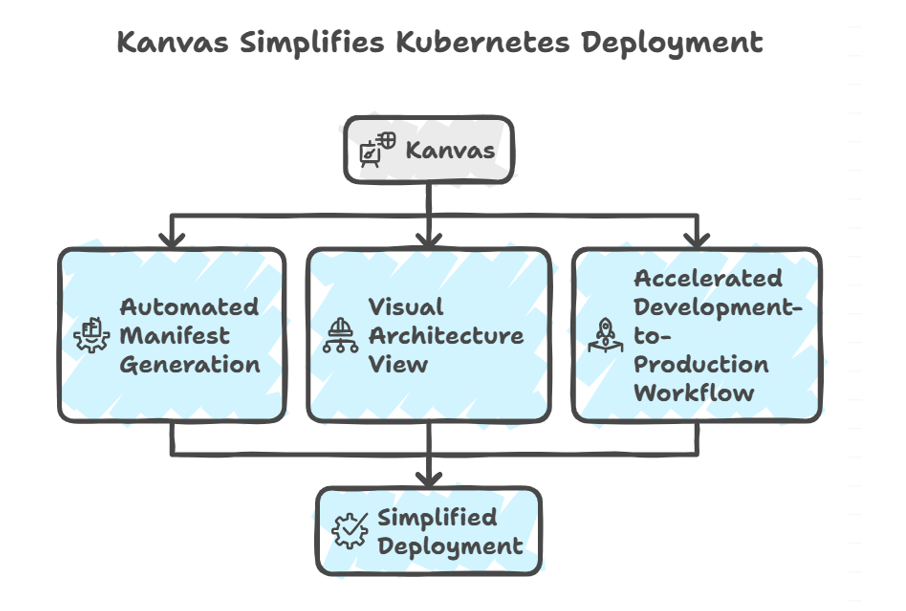 1. Automatic Manifest Generation
Kanvas automates the creation of Kubernetes resource definitions, significantly reducing the manual effort required to prepare applications for deployment. It achieves this by parsing a Docker Compose file and automatically generating the corresponding Kubernetes resources.
Specifically, Kanvas generates the following Kubernetes resources:
- Deployments: Defines how applications are deployed and managed within the Kubernetes cluster.
- Services: Exposes applications running within the cluster, enabling access from other services or external clients.
- Configurations: Manages configuration data for applications, allowing for easy updates and modifications without altering the application code.
By automatically generating these resources, Kanvas eliminates the need for developers to manually write YAML files, which can be time-consuming and error-prone. This automation significantly speeds up the deployment preparation process, allowing developers to focus on building and improving their applications.
This reduces manual YAML writing and speeds up deployment preparation.
2. Visual Architecture View
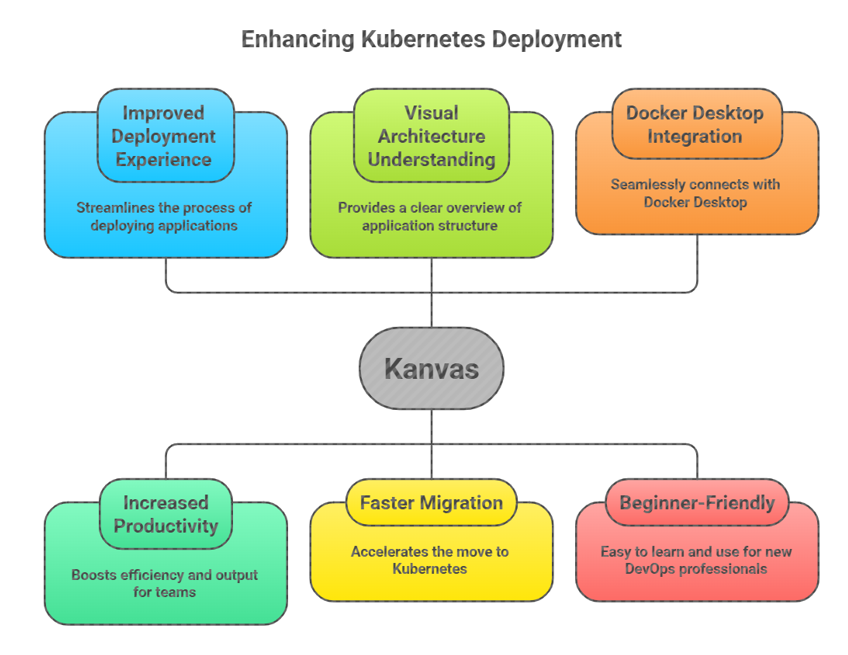
One of the most compelling features of Kanvas is its visual canvas, which provides a graphical representation of the application architecture. This visual representation offers several benefits, including improved understanding, easier troubleshooting, and enhanced collaboration.
The visual canvas allows users to:
- See containers and services visually: The canvas displays containers and services as visual elements, providing a clear overview of the application’s components.
- Understand communication between components: The canvas illustrates the communication pathways between different components, making it easy to understand how the application works.
- Identify architecture issues early: By visualizing the architecture, potential issues such as circular dependencies or bottlenecks can be identified early in the development process.
This visual representation is particularly helpful for:
-
- Beginners learning Kubernetes: The visual canvas provides a simplified view of Kubernetes concepts, making it easier for beginners to understand the underlying architecture.
- Teams documenting architecture: The canvas serves as a visual documentation tool, allowing teams to easily document and share their application architecture.
- Troubleshooting service dependencies: The visual representation of service dependencies simplifies troubleshooting by providing a clear understanding of how different services interact.
3️. Faster Development to Production Workflow
Kanvas accelerates the development-to-production workflow by enabling teams to seamlessly transition from local development environments to Kubernetes deployments. Instead of rewriting configurations, teams can leverage their existing Docker Compose files to generate Kubernetes manifests and deploy their applications to a cluster.
The typical workflow involves the following steps:
- Build locally using Docker Compose: Developers build and test their applications locally using Docker Compose, ensuring that they function as expected in a containerized environment.
- Open Kanvas in Docker Desktop: Developers open Kanvas within Docker Desktop, providing access to the visual canvas and manifest generation tools.
- Import the project: Developers import their Docker Compose project into Kanvas, allowing Kanvas to analyze the project and generate the corresponding Kubernetes manifests.
- Generate Kubernetes manifests: Kanvas automatically generates the Kubernetes manifests based on the Docker Compose file, eliminating the need for manual YAML writing.
- Deploy to a cluster: Developers deploy the generated Kubernetes manifests to a cluster, either through the Kanvas interface or using command-line tools.
This reduces the time required to prepare applications for production. By streamlining the deployment process, Kanvas enables teams to iterate faster and deliver applications to production more quickly.
Real-World Example
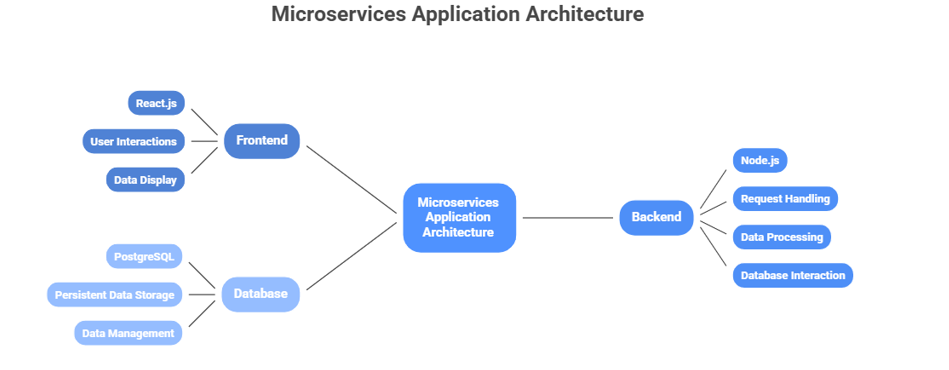
Let’s consider a typical microservices application:
A Typical Microservices Application
Let’s consider a common microservices application architecture consisting of the following components:
- Frontend (React): A user interface built with React.js, responsible for handling user interactions and displaying data.
- Backend (Node.js): An API server built with Node.js, responsible for handling requests from the frontend, processing data, and interacting with the database.
- Database (PostgreSQL): A PostgreSQL database, responsible for storing and managing persistent data.
The Challenge: Deploying to Kubernetes
While setting up this application using Docker Compose is relatively straightforward, deploying it to Kubernetes presents several challenges. Manually creating the necessary Kubernetes manifests can be time-consuming and error-prone.
To deploy this application to Kubernetes, you would typically need to create the following resources:
- Three Deployments: One for each component (frontend, backend, and database). Deployments manage the desired state of your application, ensuring that the specified number of replicas are running and healthy.
- Three Services: One for each component. Services provide a stable endpoint for accessing the application components, enabling communication between them.
- Persistent Storage: For the database, you need to configure persistent storage to ensure that data is not lost when the pod restarts. This typically involves creating PersistentVolumeClaims and PersistentVolumes.
- Networking Rules: You need to configure networking rules to allow external access to the frontend and internal communication between the components. This may involve creating Ingress resources or using NodePorts.
The Solution: Kanvas
Kanvas simplifies the deployment process by automating the generation of Kubernetes manifests from a Docker Compose file. It also provides a visual dashboard that allows you to monitor and manage your application architecture.
Here’s how Kanvas streamlines the deployment process:
- Import the Compose File: You simply import your existing Docker Compose file into Kanvas.
- Manifests are Generated Automatically: Kanvas automatically analyzes the Compose file and generates the necessary Kubernetes manifests, including Deployments, Services, PersistentVolumeClaims, and networking rules.
- Architecture is Visible in a Visual Dashboard: Kanvas provides a visual dashboard that displays the architecture of your application, showing the relationships between the different components. This makes it easy to understand and manage your application.
Kanvas vs Helm
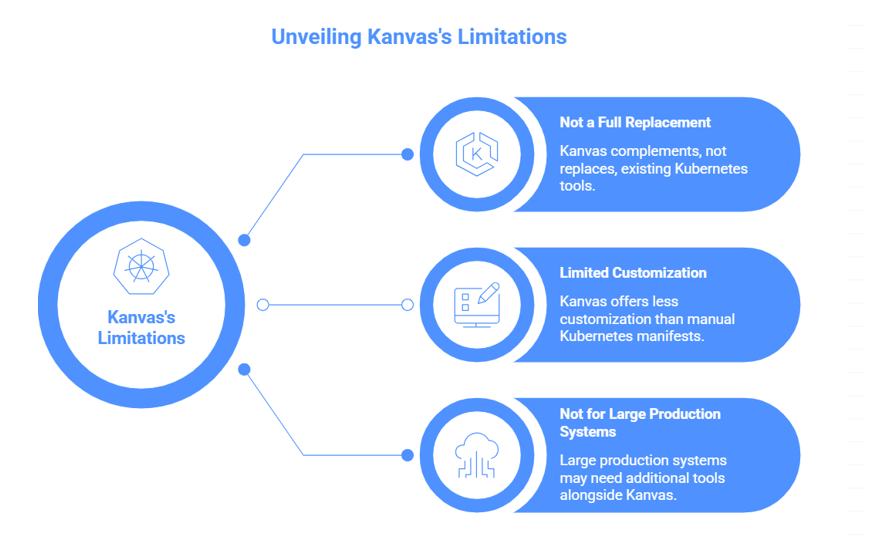
It’s important to understand that Kanvas does not completely replace Helm in all cases.
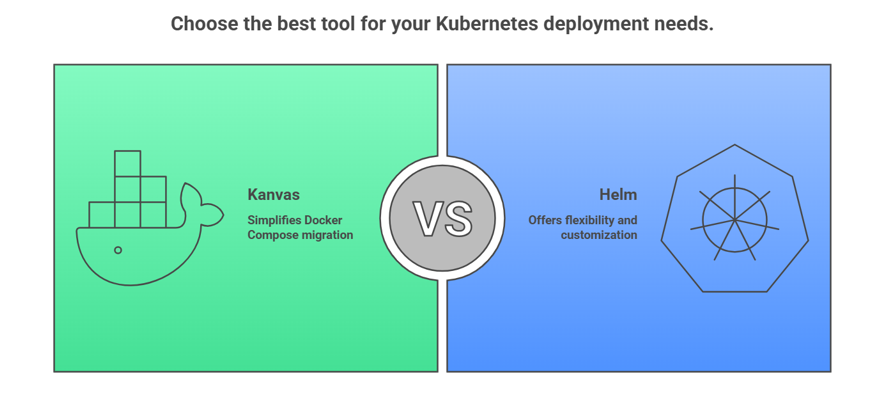
Kanvas is particularly well-suited for:
- Migrating Docker Compose applications: Kanvas simplifies the process of transitioning applications defined using Docker Compose to Kubernetes. It provides a more straightforward path for developers familiar with Docker Compose to deploy their applications in a Kubernetes environment. This is achieved by automatically generating Kubernetes manifests from Docker Compose files.
- Learning Kubernetes: Kanvas offers a more accessible entry point for individuals new to Kubernetes. Its simplified approach to deployment and management allows users to grasp the fundamental concepts of Kubernetes without being overwhelmed by the complexity often associated with Helm. The tool abstracts away some of the intricate details, enabling learners to focus on the core principles.
- Small to medium deployments: For smaller to medium-sized applications, Kanvas provides a streamlined and efficient deployment experience. Its ease of use and reduced overhead make it an ideal choice for projects that don’t require the advanced features and complexity of Helm. This is especially beneficial for teams with limited Kubernetes expertise or those seeking a quicker deployment cycle.
- Rapid prototyping: Kanvas facilitates rapid prototyping by enabling developers to quickly deploy and iterate on their applications in a Kubernetes environment. Its simplified workflow and reduced configuration requirements allow for faster experimentation and validation of ideas. This is crucial for agile development methodologies where speed and flexibility are paramount.
Helm, on the other hand, excels in:
- Enterprise production environments: Helm is designed to handle the complexities of enterprise-grade production environments. Its robust features, such as versioning, rollback capabilities, and advanced templating, make it a reliable choice for managing large-scale deployments with stringent requirements.
- Versioned releases: Helm’s versioning system allows for tracking and managing different versions of application deployments. This is essential for maintaining a consistent and reproducible environment, enabling easy rollback to previous versions in case of issues. The ability to version releases provides a safety net and ensures stability in production.
- Complex templating: Helm’s templating engine enables the creation of highly customizable and dynamic Kubernetes manifests. This allows for tailoring deployments to specific environments and configurations, providing greater flexibility and control over the application’s behavior. Complex templating is particularly useful for applications with diverse dependencies and configuration requirements.
- Large-scale applications: Helm is well-equipped to handle the demands of large-scale applications with numerous components and dependencies. Its ability to manage complex deployments and orchestrate resources makes it a suitable choice for applications that require high availability, scalability, and resilience.
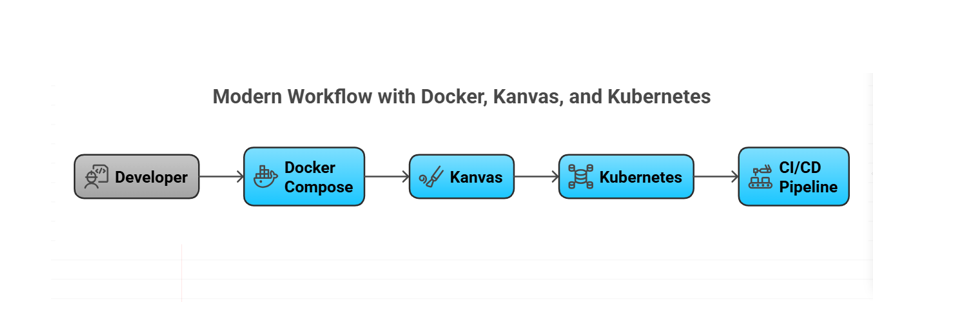
Where Kanvas Fits in the DevOps Workflow
A modern workflow might look like this:
Advantages of Using Kanvas
Limitations to Consider
While Kanvas is powerful, it is not designed to replace all Kubernetes tools.
Conclusion
Kanvas provides a practical solution for teams struggling to move from Docker Compose to Kubernetes. By automating manifest generation and providing a visual architecture view, it reduces complexity and improves productivity.
While Helm remains essential for large-scale deployments, Kanvas is an excellent tool for:
- Developers
- Small teams
- Learning environments
- Rapid prototyping
Understanding where each tool fits is key to hookup efficient cloud-native workflows.
FAQs
What is Kanvas in Docker Desktop?
Kanvas is a Docker Desktop extension that helps visualize applications and convert Docker Compose configurations into Kubernetes manifests.
Does Kanvas replace Helm?
Not completely. Kanvas simplifies manifest generation, but Helm is still better for complex production deployments and release management.
Is Kanvas suitable for beginners?
Yes. Kanvas is especially helpful for beginners learning Kubernetes because it generates manifests and shows architecture visually.
Can Kanvas deploy directly to Kubernetes?
Kanvas helps generate manifests and integrate with workflows that deploy to Kubernetes clusters.
When should I use Kanvas?
Use Kanvas when migrating from Docker Compose, learning Kubernetes, or rapidly prototyping microservices deployments.
References & Sources
- Docker Documentation: https://docs.docker.com
- Layer5 Kanvas: https://layer5.io
- Kubernetes Documentation: https://kubernetes.io