Torture the data, and it will confess to anything.
Ronald Coase
WHAT IS ELASTIC SIEM
Elastic SIEM (Security Information and Event Management) is a new feature provided by Elastic NV. Using Elastic SIEM we can track and maintain important events that concern us.
Events are actions that reflect something that has happened.
Druid Exporter – A Prometheus agent for Druid Database
A while back we got the requirement for working on Apache Druid. By working on Apache Druid, We mean setup, management, and monitoring. Since it was a new topic for us we started evaluating it and we actually find it has a lot of amazing features.
So for the people who don’t have an idea about Druid and just starting with Druid. Let me give a quick walk-through of it.
Today infrastructure-as-a-code is something that is picking up the pace at an exponential rate. Although the very concept of Infrastructure-as-a-code is pretty enticing that’s just once the face of the coin, what sits behind the shadows is compliance and access rights which plays a major role in the organizational setup. So, today we would be covering one such service that Azure provides us i.e. Azure Blueprints which makes our lives even easier by incorporating the infrastructure and compliance under the same umbrella.
As we know that CI/CD (Continuous Integration/Continuous Deployment) is inevitable process in our DevOps culture , we should always look for a better .. more efficient solution to implement the same.
CI/CD gives us the capability to continuously integrate code changes, test it , deploy it and having continuous feedback which helps us to accelerate our development speed , off-course it reduces time in testing perspective and it helps you to make your releases streamline.
So you dont have to worry about anything except CODING as CI/CD will take care of everything for you. 🙂
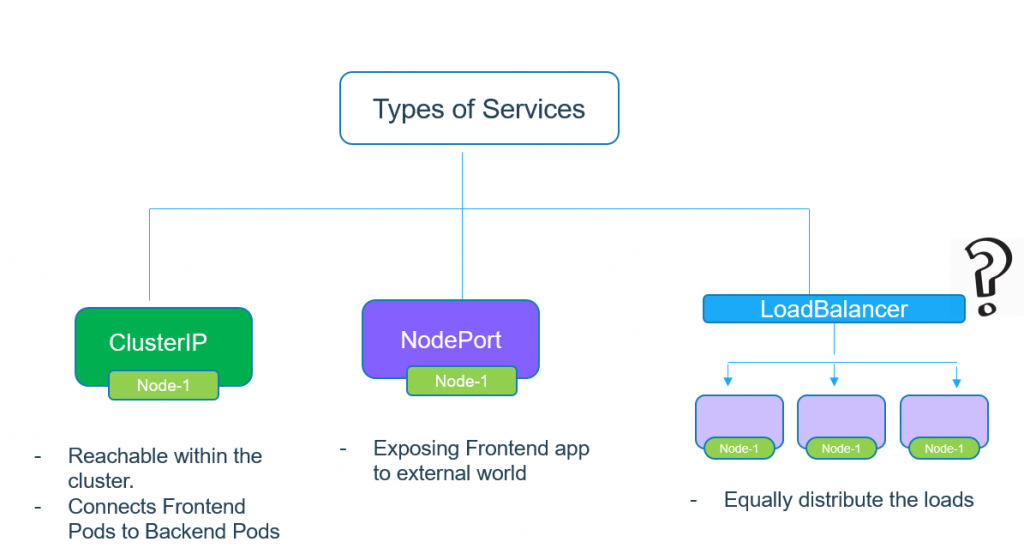
Most of us, who have used Kubernetes with a public cloud, have created a cloud loadbalancer as well. Ever thought about how can this be achieved in a Private Data Center. The easiest way would be to use the concept of Node Port and expose our services with it. In this blog, however, we won’t take the easy way out. Well, at least not the easiest way. We are going to talk about ways to achieve the same goal of Software LoadBalancer in a Private Data Center with some interesting tools.